
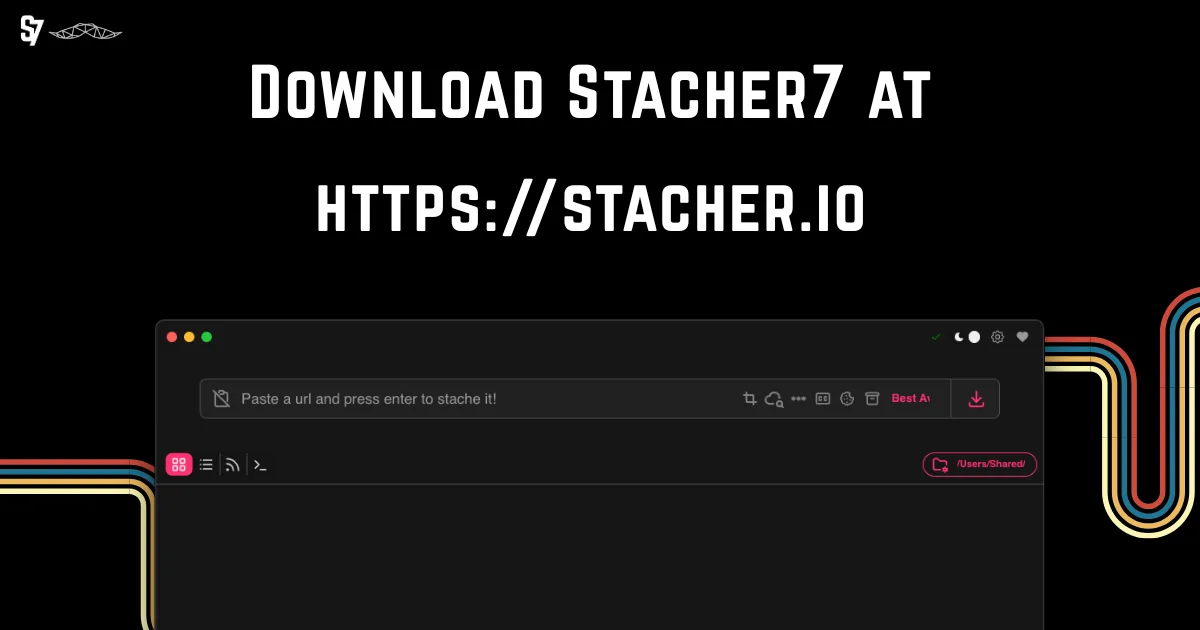
Use the real Stacher download source
The official site is stacher.io. Its download controls use api.stacher.io update endpoints that redirect to Stacher release storage. On August 22, 2026, those endpoints reported version 7.1.12 for Windows x64, macOS Apple silicon, macOS Intel and Debian amd64.
Stacher Download Wiki does not mirror, wrap or repackage those installers. The homepage's 15-second preparation step keeps the final first-party URL as the destination. If a third-party page offers a smaller custom setup program, bundled installer, activation utility or keygen, it is not the same distribution path.
- Start from stacher.io or this site's verified first-party platform buttons.
- Confirm the redirect hostname and expected filename.
- Compare the version, file size and official checksum when available.
- Keep your operating system and security tools current.
- Scan the installer before opening it and preserve the source URL for reference.
This site is independent and does not claim to be the official Stacher publisher.
Verify the installer before you run it
A filename and icon are not proof of origin. Check the browser download history for the actual source URL, then compare the file against the checksum shown on the official Stacher downloads section. A checksum confirms that your file matches the publisher's recorded file; it does not replace security review, but a mismatch is a clear reason not to run it.
On Windows, review file properties and the security prompt. On macOS, use the normal Gatekeeper dialog and system security controls. Do not disable antivirus or Gatekeeper globally merely to make an installer run. If an alert appears, record the exact detection name, file hash and source before deciding what it means.
To decide whether a Stacher download is safe, record the exact source URL, version, filename, size and hash. A matching checksum confirms file identity, but you should still review security warnings and publisher context before opening it.
| Check | Good sign | Stop and investigate |
|---|---|---|
| Source | stacher.io, api.stacher.io or Stacher release storage | Unknown mirror, ad wrapper or URL shortener |
| Filename | Matches the official current platform build | Keygen, crack, activator or unexpected executable |
| Checksum | Matches the official value | Missing where expected or does not match |
| Security alert | Specific file reviewed with context | Advice to disable protection permanently |
A checksum mismatch can come from corruption or modification. Delete the file and download it again from the first-party source.
Interpret antivirus and reputation warnings
Security products use signatures, behavior, reputation and machine-learning models. A new or less common installer can receive a generic or reputation warning without a confirmed malicious payload, while a clean-looking scan cannot guarantee future behavior. Treat the result as evidence to investigate rather than as a marketing badge.
Look for consistency across reputable engines, a precise detection name, publisher information, community reports and the official checksum. Submit a suspected false positive to the security vendor or Stacher community with the hash and source. Do not rely on screenshots of someone else's scan because a file with the same name can have different contents.
- Use the exact hash and official source when reporting an alert.
- Do not upload private data or account cookies to public scanning services.
- Keep the installer quarantined until the discrepancy is understood.
- Download again if the transfer was interrupted or the checksum differs.
- Avoid modified portable packages unless Stacher itself publishes them.
The phrase virus free should not be treated as proof. Source provenance and repeatable verification are more useful than an unqualified claim.
Protect accounts, cookies and downloaded media
Stacher can work with authentication settings for sources that legitimately require your session, but cookies can grant account access. Export them only when you understand the workflow, store them securely and remove temporary files when finished. Never download a cookie file offered as a way to access someone else's private or paid content.
Downloaded media can also carry privacy or copyright obligations. Keep personal recordings in controlled folders, verify post-download scripts before enabling them and avoid automatically opening unknown files. Stacher is a downloader interface, not a guarantee that every source URL or output file is trustworthy.
- Use your own authorized account session only when required.
- Never share exported cookies or include them in public logs.
- Review custom commands and post-download scripts before running them.
- Do not install keygens, cracks or activation tools; they are not needed for the normal official download.
- Follow platform terms and applicable law for every saved file.
When in doubt, use the platform's official offline or download option and ask the content owner for permission.
Answer 'Is Stacher safe?' with a repeatable check
The question 'Is Stacher safe?' cannot be answered from a logo, filename or old scan screenshot. Calling one file safe requires evidence for that exact build. Record the first-party URL, download date, platform build, file size and checksum shown by the publisher. Then calculate or compare the downloaded file's hash before opening it. This ties your decision to one identifiable installer rather than to every file that uses the Stacher name.
Check the redirect chain in browser history. The verified buttons on this site begin at api.stacher.io and hand off to Stacher's release storage. That controlled path is safer than an unknown mirror, but it still needs verification. If the route unexpectedly reaches an advertising wrapper, unrelated file host or executable with a different name, stop and return to stacher.io.
Keep operating-system protection enabled. If a warning appears, save the exact detection label and hash, quarantine the file and compare it with the official checksum. A matching checksum establishes publisher-file identity, while a mismatch requires deletion and a fresh first-party download. A safe decision uses all of this evidence; neither a single clean scan nor a matching name is an absolute guarantee.
Repeat this check after updates because version, size and hash change with a new release. A previously safe file does not prove that a different download is identical. Delete obsolete installers you no longer need, protect account cookies and review any custom post-download command separately. Safe software handling combines provenance checks with careful local configuration.
- Record source URL, version, filename, size and hash together.
- Reject keygen, crack, activator and repacked download claims.
- Investigate precise warnings without disabling protection globally.
- Recheck provenance whenever the installer version changes.
To decide whether Stacher is safe for a specific install, verify that first-party file and keep its evidence instead of relying on a generic assurance.
Is Stacher safe FAQ
Is stacher.io safe?
stacher.io is the first-party product site identified by Stacher's own application and update infrastructure. Still verify the current installer, checksum and security prompts before running software.
Is Stacher Download Wiki official?
No. It is an independent download and help resource. Its download buttons point to first-party api.stacher.io endpoints rather than hosted mirrors.
Does Stacher need an activation key or keygen?
The normal official download does not require an unofficial keygen or crack. Avoid files marketed as activators, because they are not part of the verified download flow.
Why does antivirus flag a Stacher installer?
It may be a specific detection, generic behavior alert or low-reputation warning. Verify the official checksum and source, keep the file quarantined and report the hash for review rather than disabling protection globally.
Should I use a portable Stacher download?
Use a portable build only if Stacher publishes and verifies it. Third-party repacks can be outdated or modified, even when the filename looks legitimate.
Is Stacher safe to use on Windows or macOS?
Safety depends on the exact installer and your environment. Use the first-party source, compare the checksum when available, keep Windows or macOS protection enabled and avoid repacks, cracks and keygens.
How do I verify a Stacher download before opening it?
Record the source URL, version, filename, size and hash, then compare the file with the publisher’s checksum when one is provided. Investigate security alerts instead of disabling protection globally.